
FOR VENDORS
BookingsPackagesPaymentsCRM
Create your vendor accounthow it WORKS
Everything you need to grow your wedding business
CREATE YOUR PROFILE
Showcase your brand, portfolio, services, and serviceable locations to get discovered.
PACKAGES & PRICING
Publish transparent packages, add-ons, and availability—win trust instantly.
BOOKINGS & CALENDAR
Receive leads and bookings, manage calendar conflicts, and confirm faster.
PAYMENTS & CRM
Accept secure deposits, track invoices, and nurture leads with built‑in CRM.
Powerful tools, built for wedding vendors
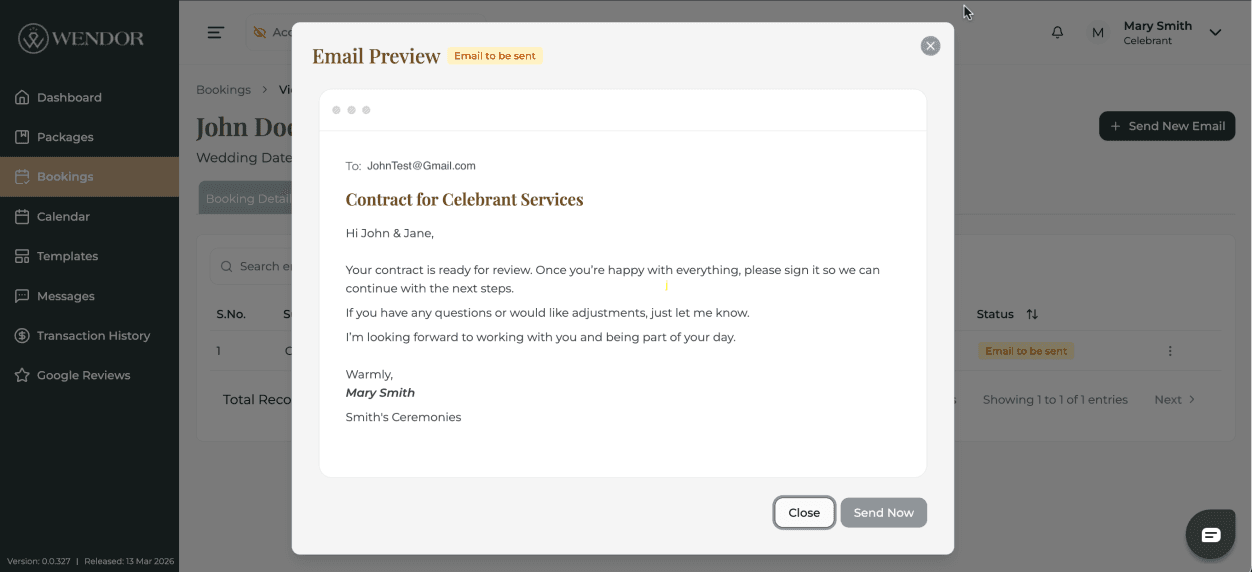
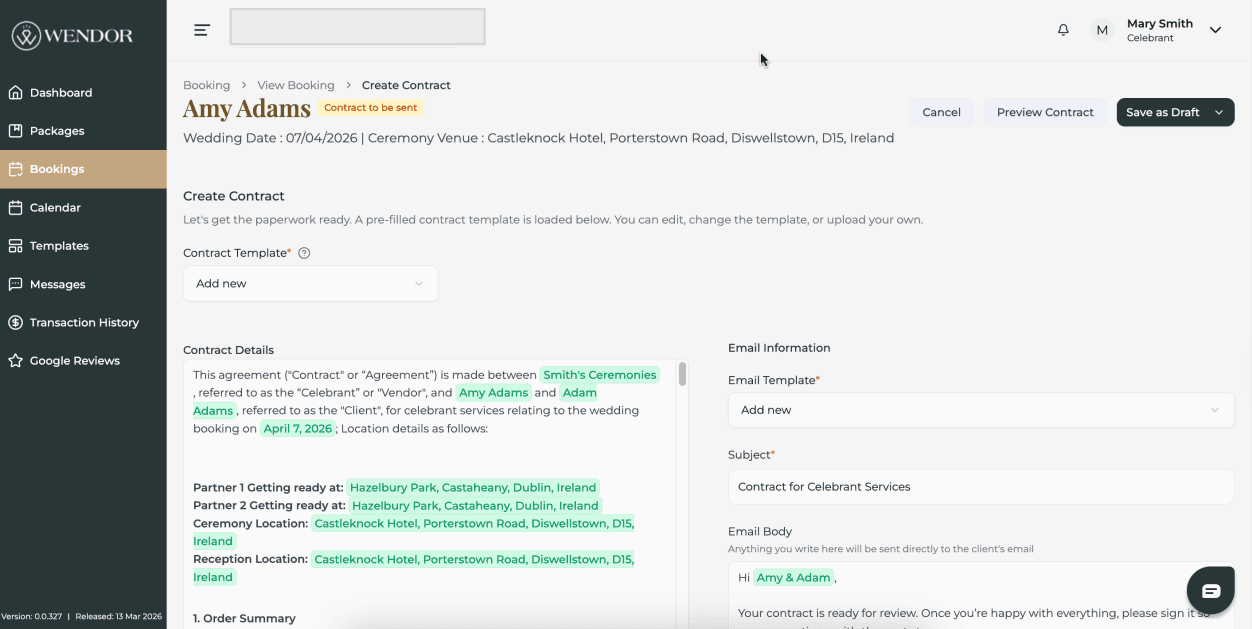
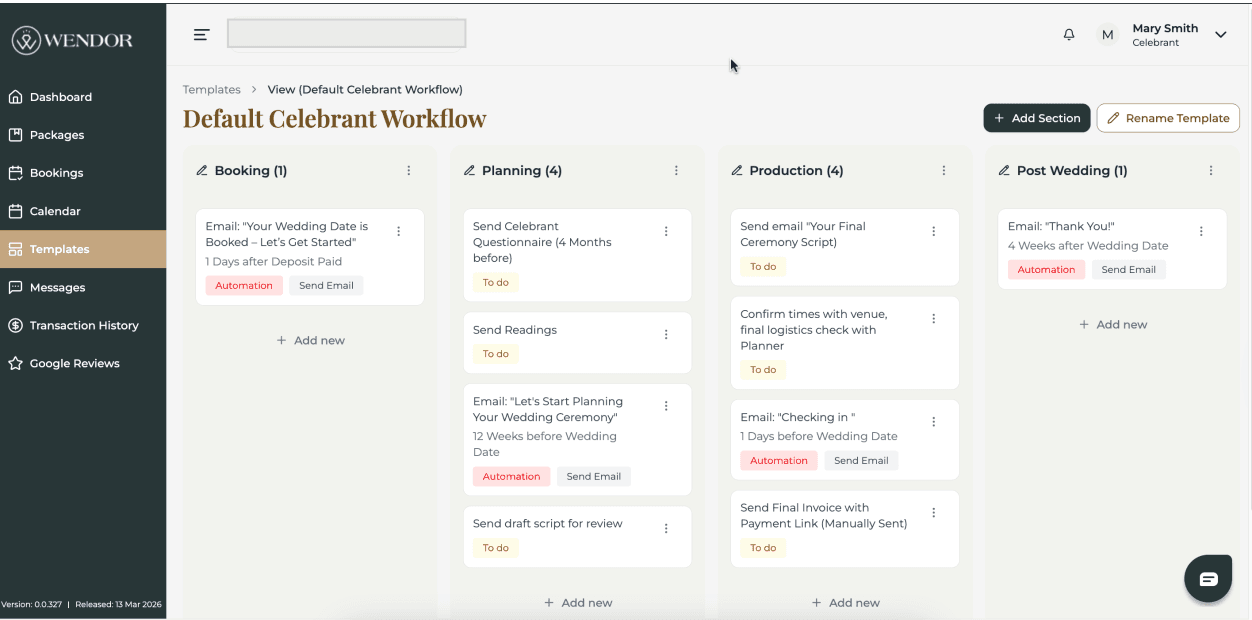
Workflows, Contracts & Email Templates
Get started with ready-made workflows, contract templates, and emails, all designed for wedding bookings. Use them as they are, edit them to suit your style, or create your own workflows using your own documents.
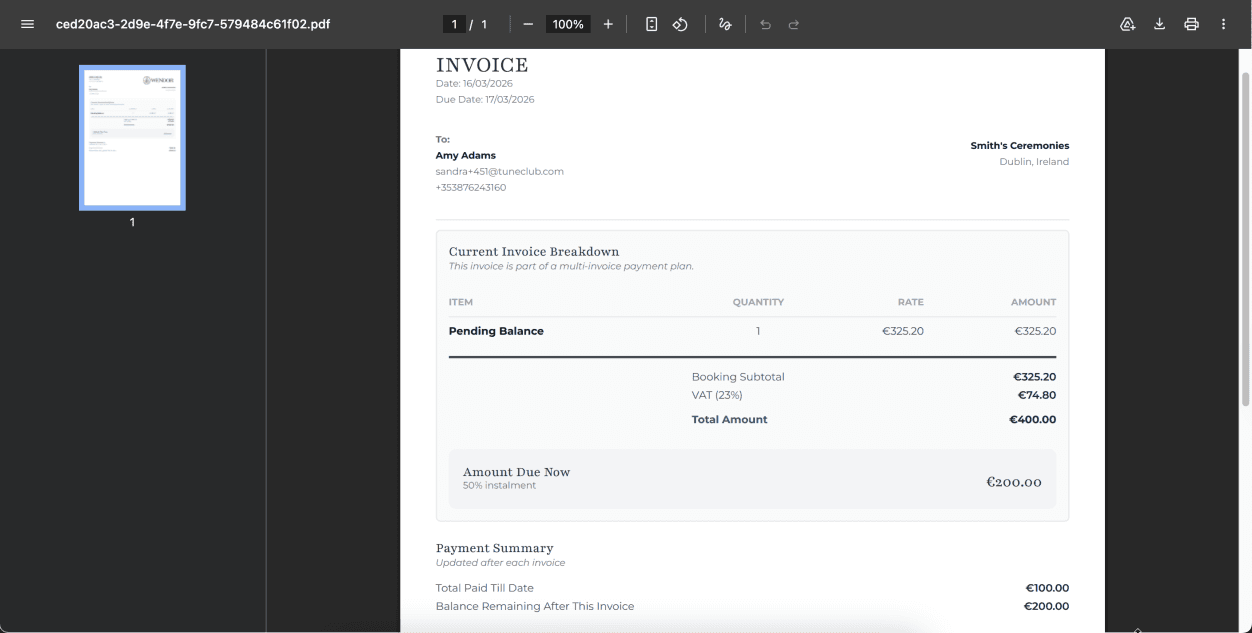
Integrated Payments & Invoicing
Create deposit, instalment, or final invoices in seconds. Add a secure payment link, send, and let couples pay easily from their bank account. Track payments and balances automatically.
Email Connected to your Inbox
Connect your email and communicate directly from the Wendor platform, with messages sent from your own email address. Every conversation stays linked to the booking, keeping everything organised.
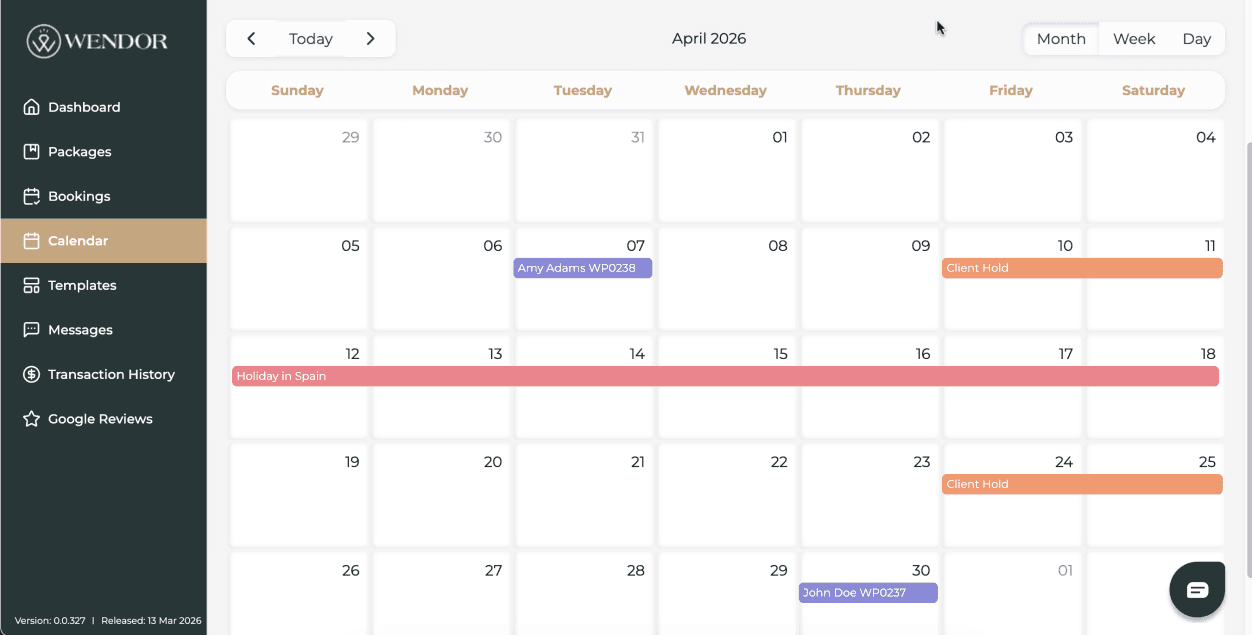
Smart calendar & availability
Sync your calendar to receive enquiries only when you’re available. Block out dates, add buffers, and manage bookings from Wendor and other sources in one place.
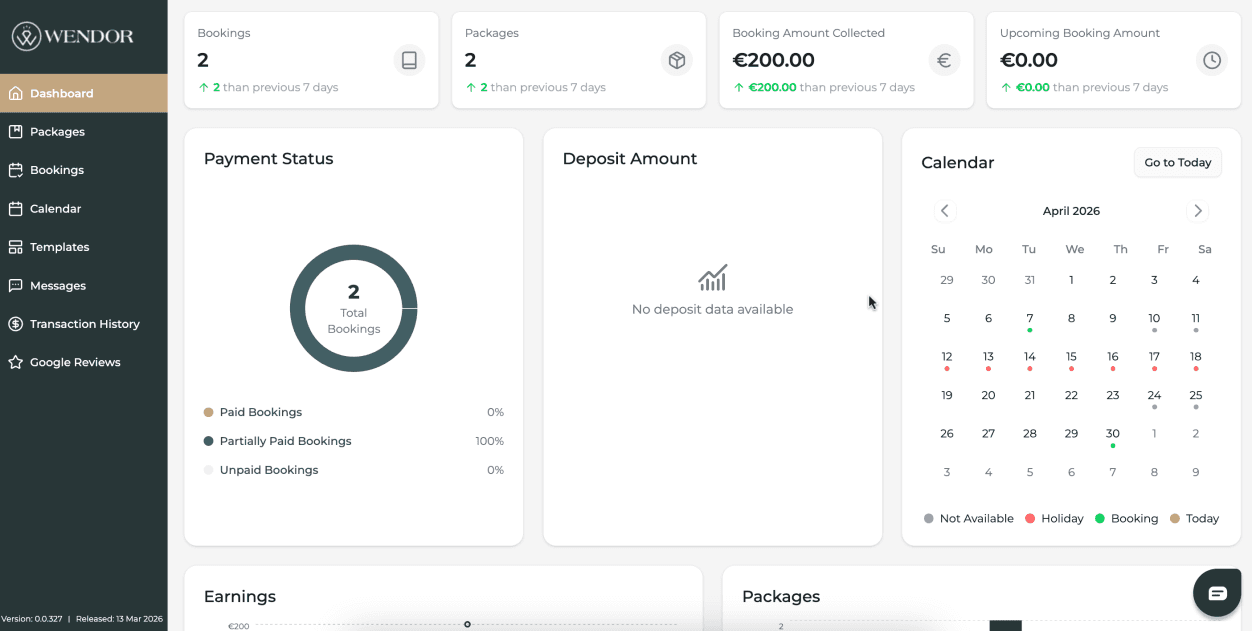
One organised workspace
From enquiry to final payment, manage bookings, messages, documents, reminders, and timelines in one clear dashboard.
Designed to give you time back
Spend less time on admin and more time doing the work you love, with the right couples, at the right time.
are you a VENDOR? want to become a WENDOR?
would you like to spend more time doing what you love most about your job?
Wendor enables you to manage your calendar, streamline and automate workflows, and manage invoicing and payments - so that you can book your ideal client with minimum effort, all in one simple platform!
Get Started
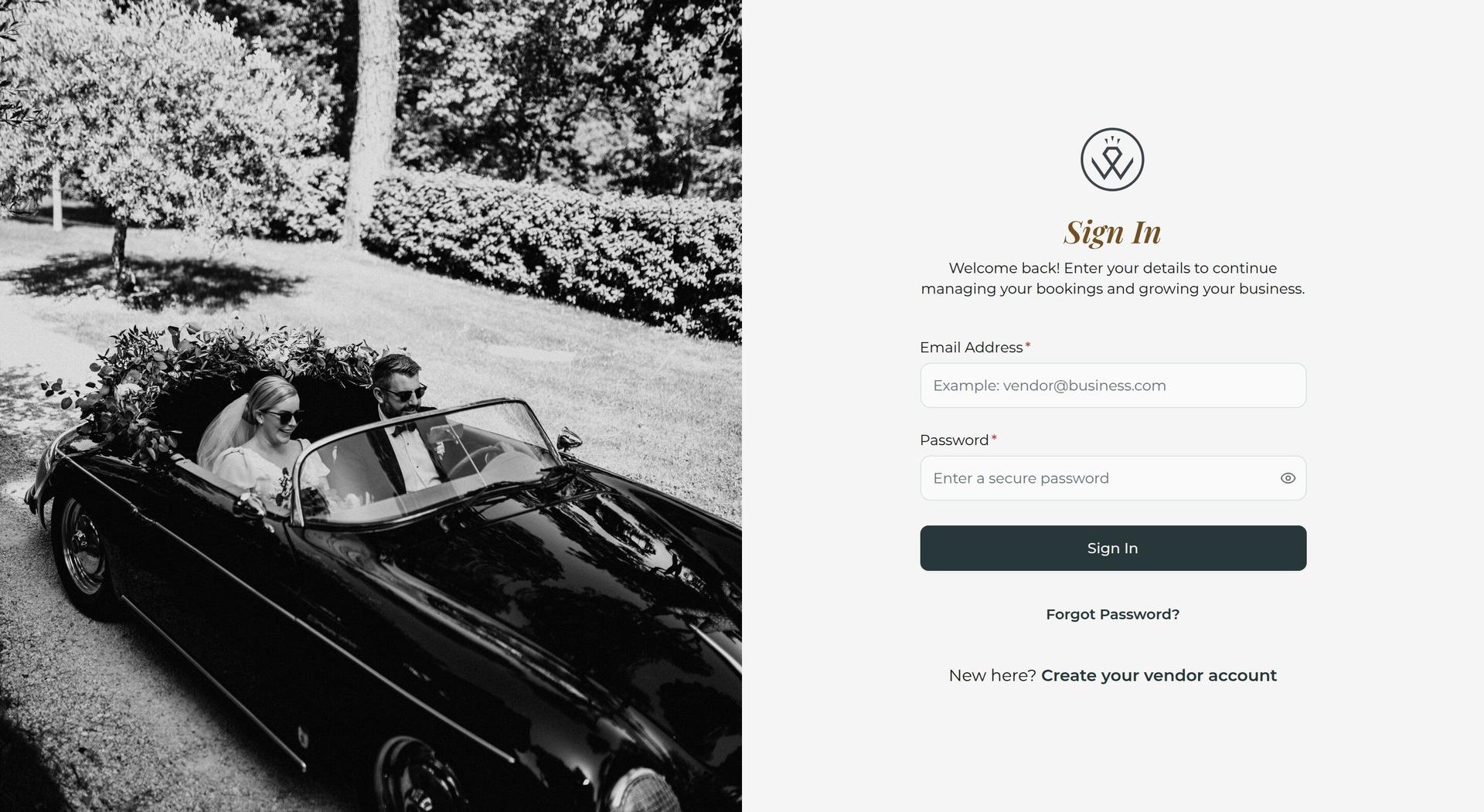
Sign in to your dashboard to manage bookings, packages, payments and CRM.
Vendor Categories
FAQs
What fees does Wendor charge vendors?
Wendor charges a subscription of €29.99 per month or €299.99 per year for the platform, including the booking engine and CRM. When a couple books you through Wendor, a fee of 2% of the booking price applies, capped at €30 per booking (£30 for GBP accounts). It applies only to the deposit, once the couple has paid it, and bookings you add yourself carry no fee. Standard payment processing fees from Fire, our payment partner, may also apply.
How do I get leads?
Couples discover you from your profile, categories, and transparent packages. Faster responses improve your ranking.
How are payments handled?
Couples pay you by bank transfer through a secure payment link on each invoice. The money goes straight into your own Fire business account, which you connect in Settings, so Wendor never holds your funds. You can send deposit and final invoices from Wendor, and mark payments you collect elsewhere as paid.
How does Wendor decide which vendors are shown to couples?
The Wendor team reviews and approves each vendor profile once before it goes live. After that, couples see vendors who match the category they are looking for and are free on their wedding date, based on your calendar and booking capacity. Your profile needs to be set to visible and your subscription active. The couples app has not launched yet; once it does, this is how couples will find you.
Can I message couples before accepting a booking?
Yes, you can message couples in the App to clarify details or confirm fit before accepting or declining a booking request.
Can I decline a booking?
Yes. If there is a conflict or operational constraint. Integrated calendars reduce conflicts, but you remain in control.
How do payouts and settlement timelines work?
There is no payout to wait for. When a couple pays an invoice, the money goes directly into your Fire business account rather than through Wendor. The invoice shows as paid as soon as Fire confirms the funds have arrived.
How do I sync my calendar and avoid conflicts?
Connect your calendar (e.g., Google/ICS). Block‑out dates and travel buffers help prevent double bookings.
Can I offer add-ons or upgrades after booking?
Yes, you can offer add-ons or upgrades after a booking is confirmed, making it easy to tailor packages as plans evolve.
Can I change my packages or pricing later?
Yes. You can update your packages and pricing at any time. Any changes apply to new enquiries and bookings, not ones already confirmed.
Do I have to list prices publicly?
Yes. Wendor is built around transparency, but pricing is only visible to pre-vetted, fully profiled couples who have provided detailed information about their wedding. This helps ensure vendors are only sharing their pricing and packages with couples who are genuinely planning and ready to engage. Leading to better-matched enquiries and far less unnecessary back-and-forth. Any bespoke pricing is shared only with the couple who requested it.
Can I use my own contracts and workflows?
Yes. You can use Wendor’s built-in contracts, workflows, and templates, or upload and manage your own.
Can I manage bookings from outside Wendor in the same place?
Yes. Wendor is designed to help manage bookings from Wendor and other sources together through synced calendars and workflow tools.
What happens if a couple cancels?
Cancellations are handled according to your own terms, which are clearly shared with couples before booking. Any refunds or retained deposits follow those agreed conditions.
Can I pause my profile or hide availability temporarily?
Yes. You can temporarily hide your availability at any time, giving you full control over when you appear to couples and when you’re open to new bookings.
Create your vendor account
New to Wendor?
- Profile, portfolio and packages
- Bookings, calendar and CRM
- Invoices couples pay from their bank